Batch Processing
Produce Content at Scale
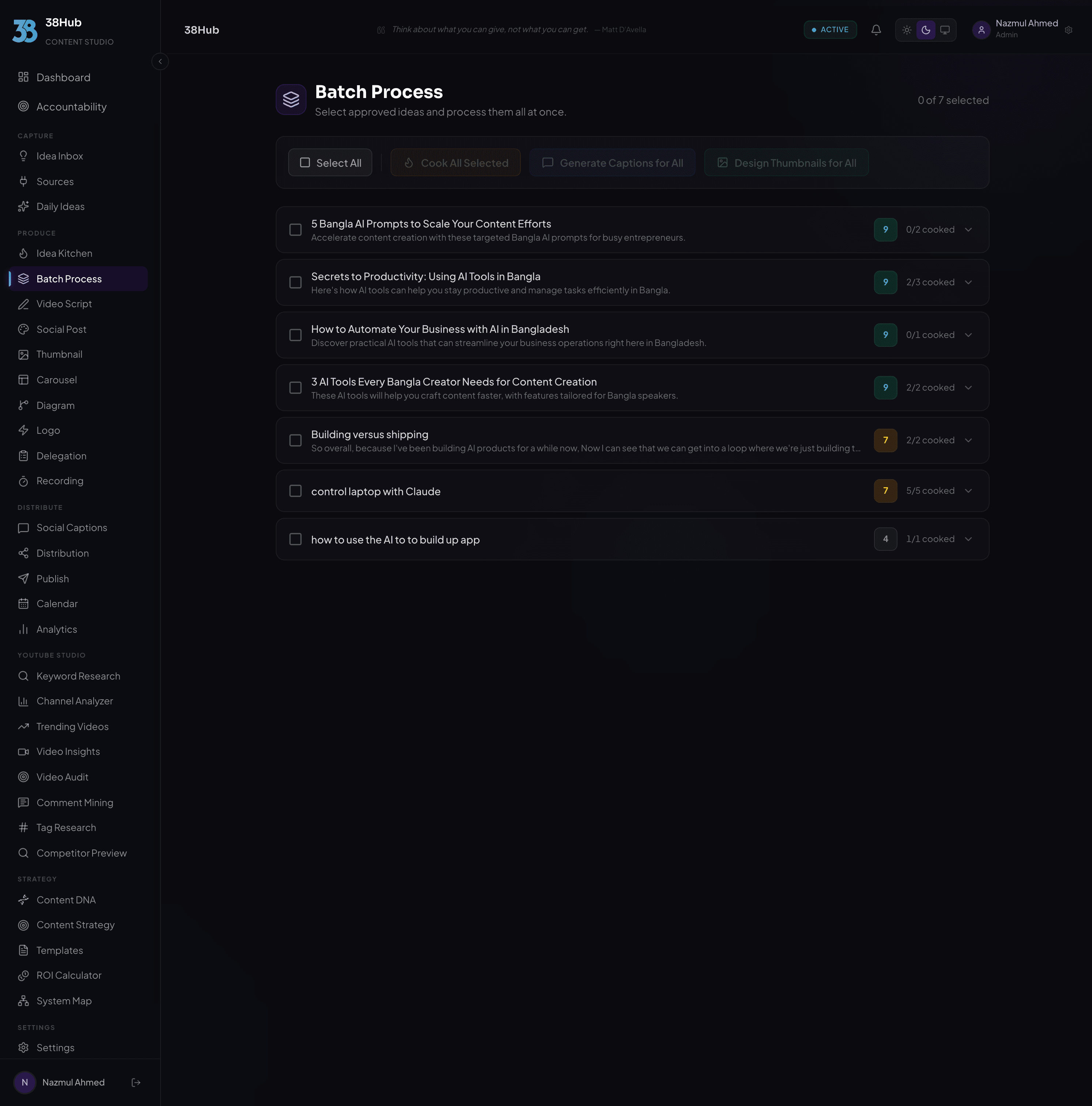
Select multiple ideas or content pieces and process them all at once. Batch cook, batch generate thumbnails, batch write captions. Queue it, let AI work, collect results.
app.38hub.com
Batch Everything
Every major content operation in 38Hub supports batch mode. Select your items, choose what to generate, and let AI handle the rest.
Cook Content
Batch cook multiple ideas into full content formats: articles, threads, newsletters, posts. Select 10 ideas and get 10 fully cooked pieces back.
Generate Thumbnails
Queue 10+ thumbnail generations at once. Each idea gets AI-designed thumbnails matching your brand colors, style, and Content DNA preferences.
Write Captions
Generate platform-specific captions for multiple ideas simultaneously. Get Twitter, LinkedIn, Instagram, and YouTube captions for every piece in one go.
Write Scripts
Queue short-form and long-form video scripts for multiple topics. Get structured, timed scripts with B-roll cues ready for every video idea.
How Batching Works
Four steps from selection to finished content at scale.
Select Ideas from Your Inbox
Open your idea inbox and check the items you want to process. Use filters to find ideas by status, score, or content type. Select anywhere from 2 to 20 items per batch.
Choose What to Generate
Pick the operation: cook content, generate thumbnails, write captions, or write scripts. Configure format preferences, language, and any output-specific settings.
Queue the Batch
Hit start and the batch enters the processing queue. AI works through each item in parallel, generating results as fast as possible. Track progress in real time.
Review and Export Results
Each completed item appears in your results feed. Review every output, make edits if needed, and export individually or as a complete batch. Nothing ships without your approval.
Select Ideas from Your Inbox
Open your idea inbox and check the items you want to process. Use filters to find ideas by status, score, or content type. Select anywhere from 2 to 20 items per batch.
Choose What to Generate
Pick the operation: cook content, generate thumbnails, write captions, or write scripts. Configure format preferences, language, and any output-specific settings.
Queue the Batch
Hit start and the batch enters the processing queue. AI works through each item in parallel, generating results as fast as possible. Track progress in real time.
Review and Export Results
Each completed item appears in your results feed. Review every output, make edits if needed, and export individually or as a complete batch. Nothing ships without your approval.
Hours of Work in Minutes
See what batch processing does to your production timeline.
Manual Workflow
10 thumbnails x 1.5 hrs each15 hours
10 captions x 30 min each5 hours
10 scripts x 45 min each7.5 hours
10 articles x 2 hrs each20 hours
Total47.5 hours
With Batch Processing
Select and configure batch2 min
AI processes all items in parallel~10 min
Review and approve results~3 min
Total~15 minutes
80xfaster
than manual work
Track Every Item in Real Time
Watch your batch progress live. Every item shows its current status so you always know exactly where things stand.
Batch Progress
7 of 10 complete0%70% complete100%
5 Productivity Tips for CreatorsThumbnailDone
Why Most Content Strategies FailThumbnailDone
The Future of AI in ContentCaptionDone
How I Grew to 100K FollowersCaptionDone
Beginner Guide to YouTube SEOScriptDone
Content Repurposing MasterclassScriptDone
Weekly Newsletter TemplateCookDone
LinkedIn Growth PlaybookCookRunning...
Instagram Reels StrategyThumbnailQueued
Podcast Launch ChecklistCaptionQueued
Frequently Asked Questions
Everything you need to know about batch processing in 38Hub.
You can batch process all major content operations: cook content (turn ideas into full articles, threads, or posts), generate thumbnails, write captions for all social platforms, and write video scripts (both short-form and long-form). Any operation you can run on a single idea can be batched across multiple ideas at once.
Each batch supports up to 20 items. You can select anywhere from 2 to 20 ideas from your inbox and process them all in a single operation. If you have more than 20 items, simply run multiple batches. There is no limit on the number of batches you can run.
No. Each item in the batch costs the same number of credits as processing it individually. Batch processing is about speed and convenience, not pricing. You pay the same per-item cost. You just save hours of manual queuing and waiting.
Absolutely. Every item in the batch generates its own result that you can review individually. Nothing is published or exported without your explicit approval. You can edit, regenerate, or discard any individual result within the batch without affecting the others.
Yes. You can batch different content types together. For example, you could queue 5 ideas for thumbnail generation, 3 for caption writing, and 4 for cooking, all in one batch. The system processes each item according to its assigned operation while running everything in parallel.
Scale Your Content Production Today
Batch process your entire content pipeline. Queue it, let AI work, collect results.
14-day money-back guarantee· Set up in under 10 minutes